
Linux Driver:http://u.pc.cd/WwB7
1、open installation file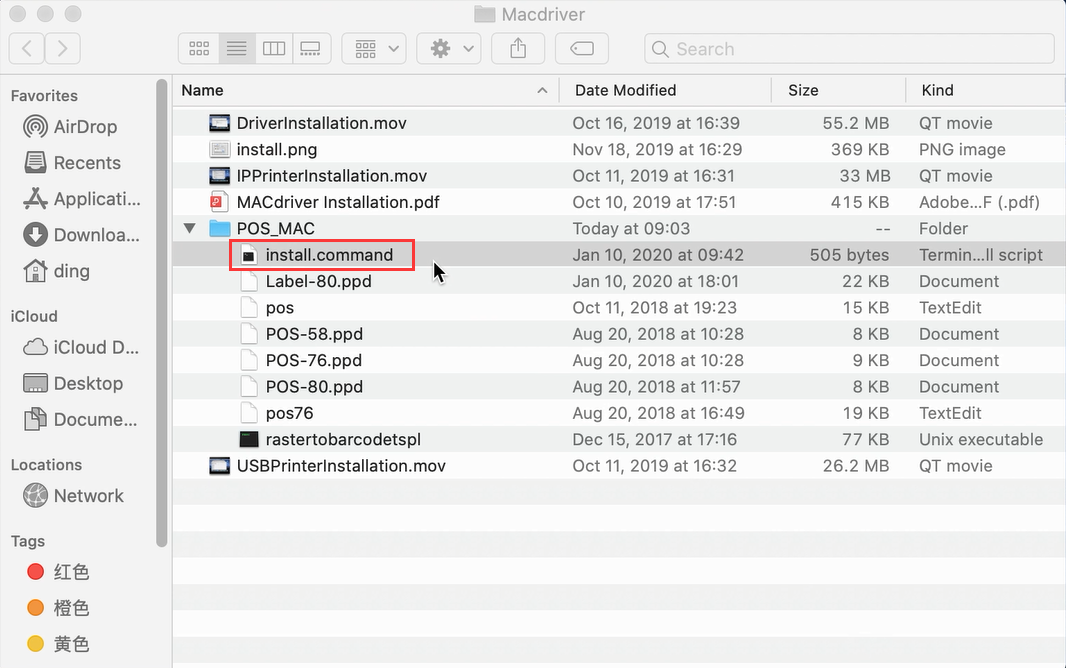
2、enter the password of your computer and press "Enter"
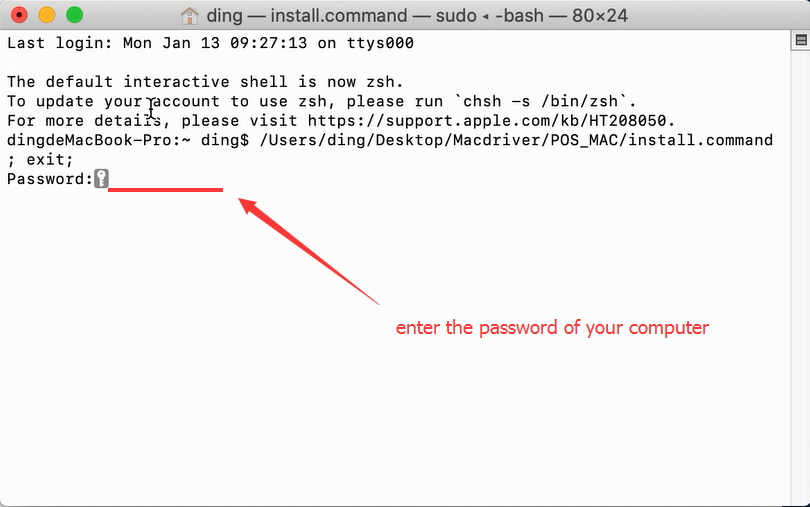
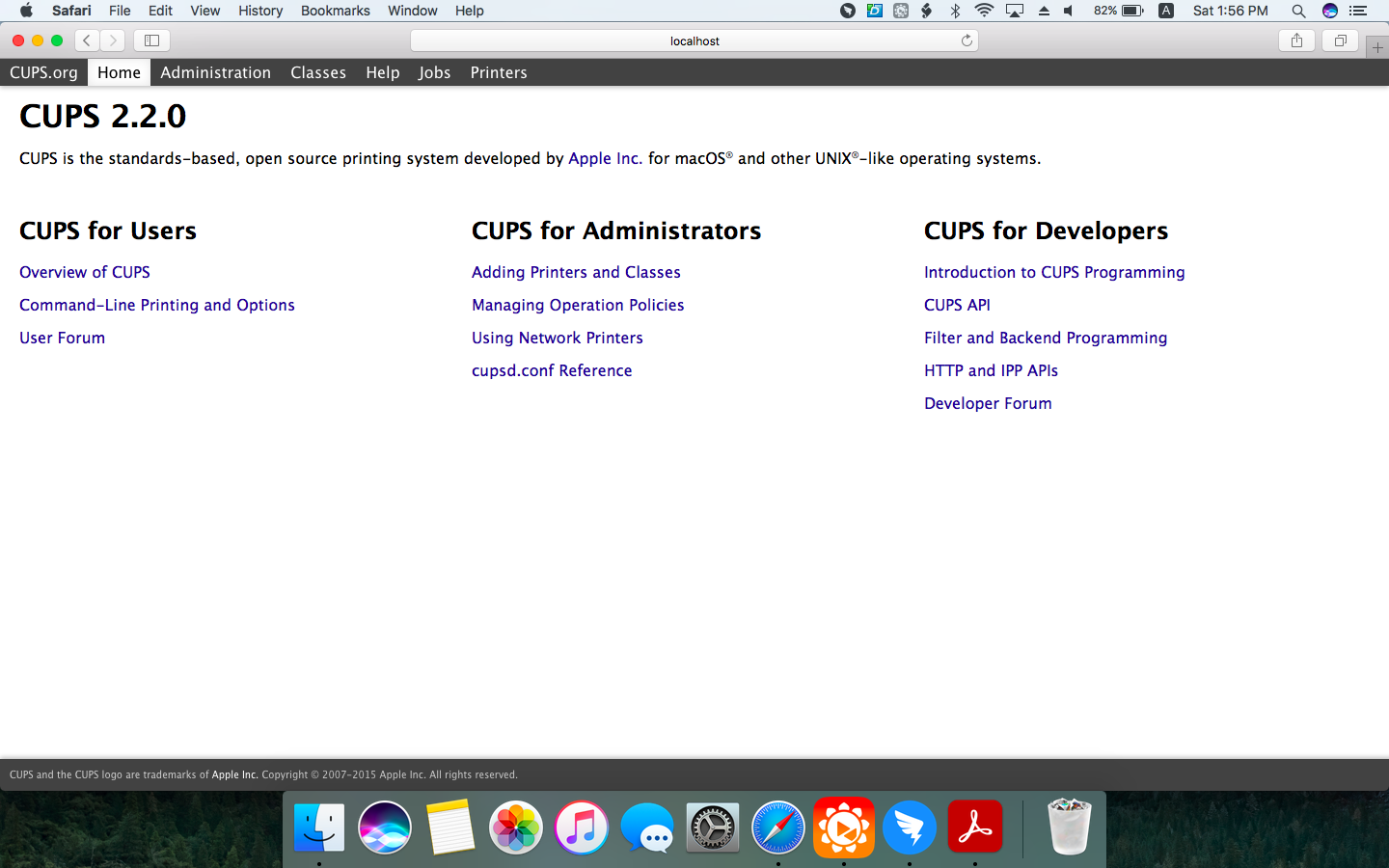
3、Enabling CUPS Printer Interface for Mac:
https://help.hikeup.com/portal/en/kb/articles/enabling-cups-printer-interface-for-mac
4、after entering CUPS you can reach this interface
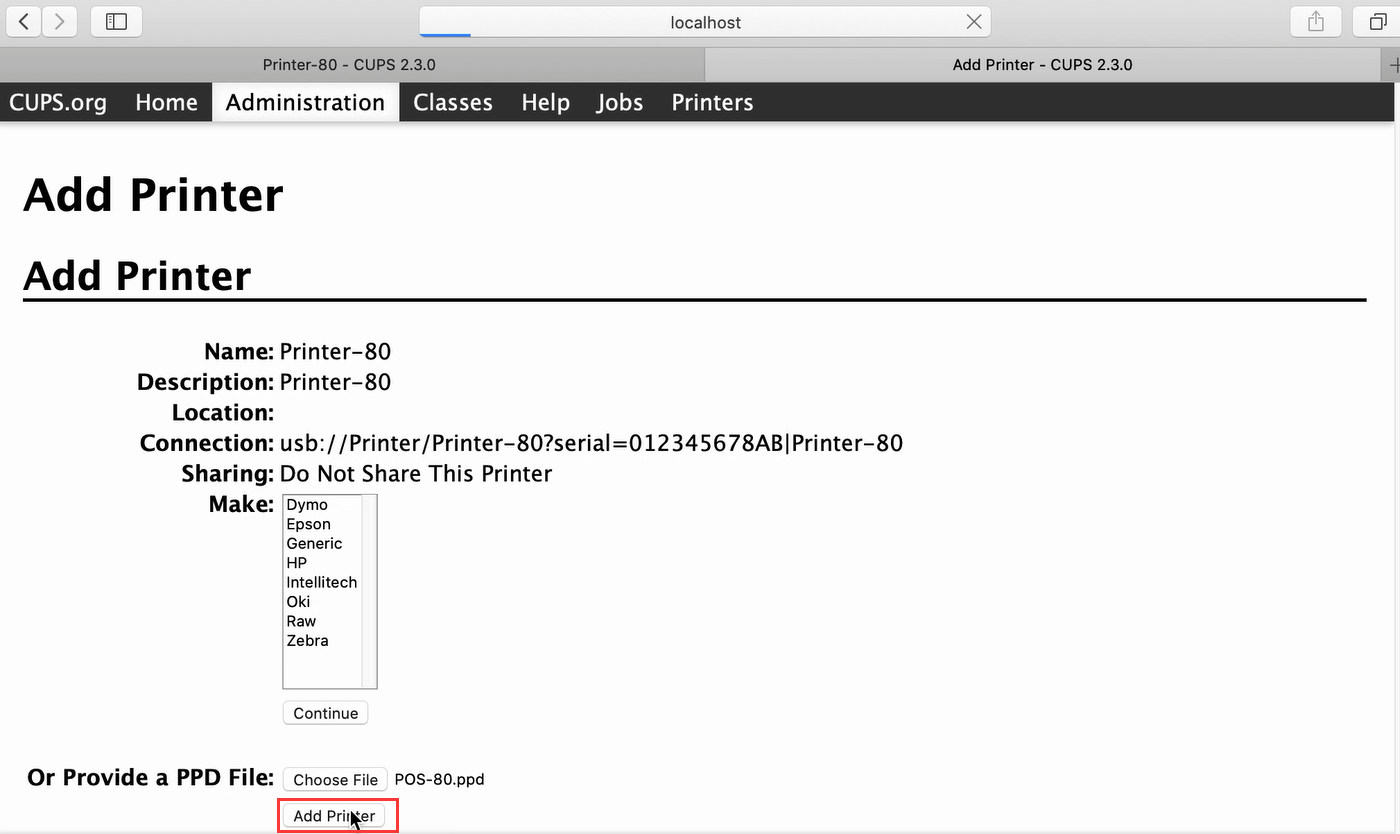
5、Add printer
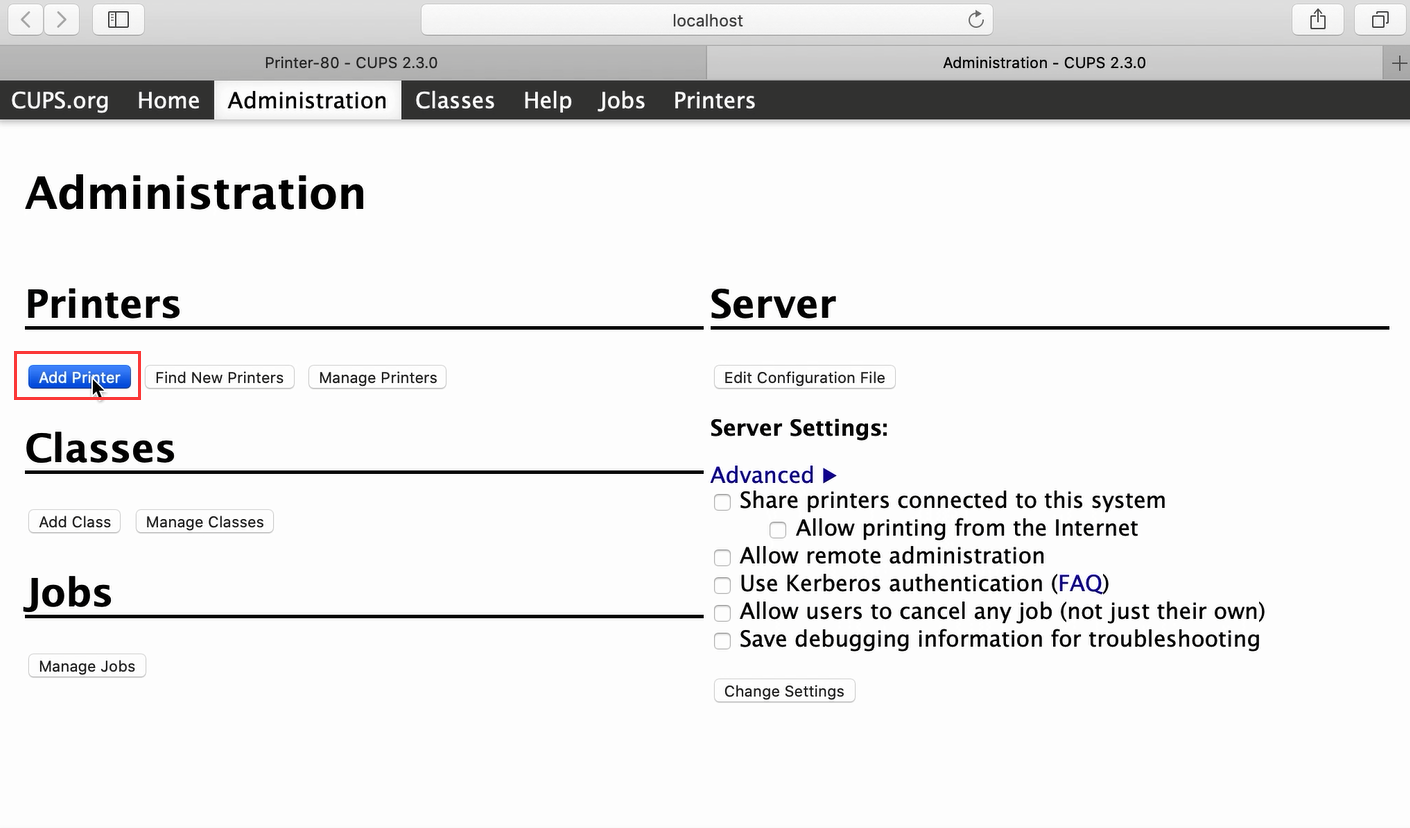
6、choose printer-80
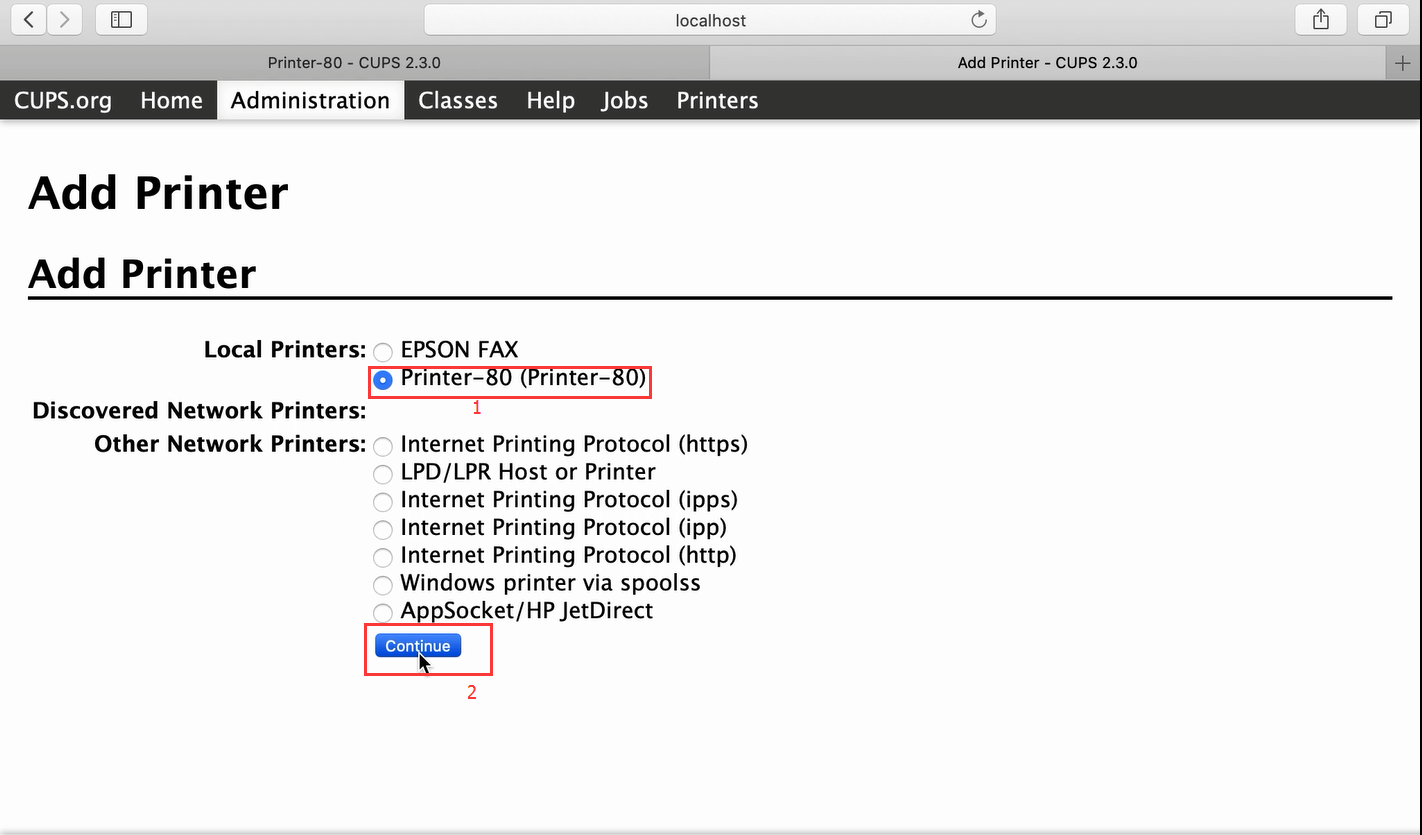
7、continue
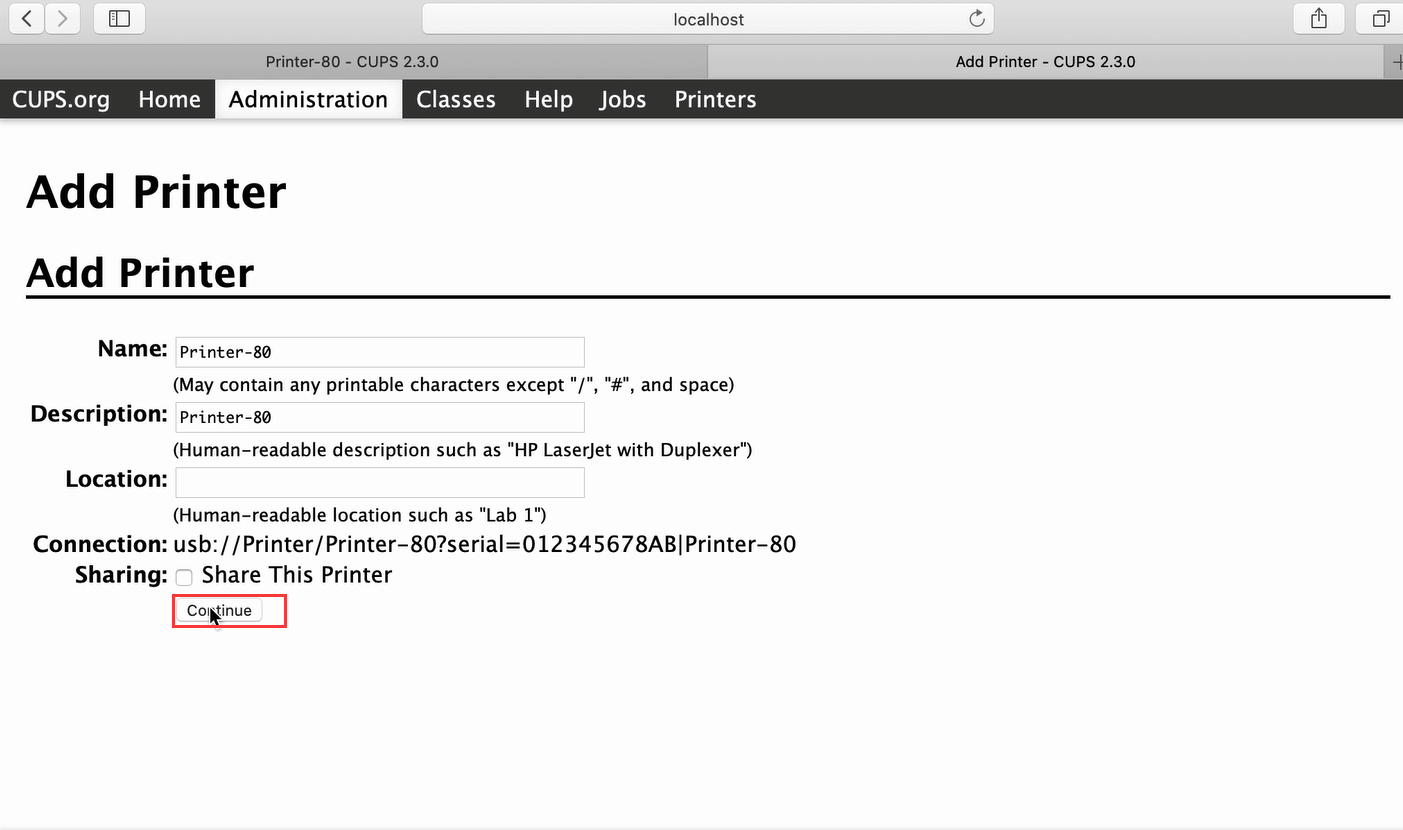
8、choose POS-80.ppd file
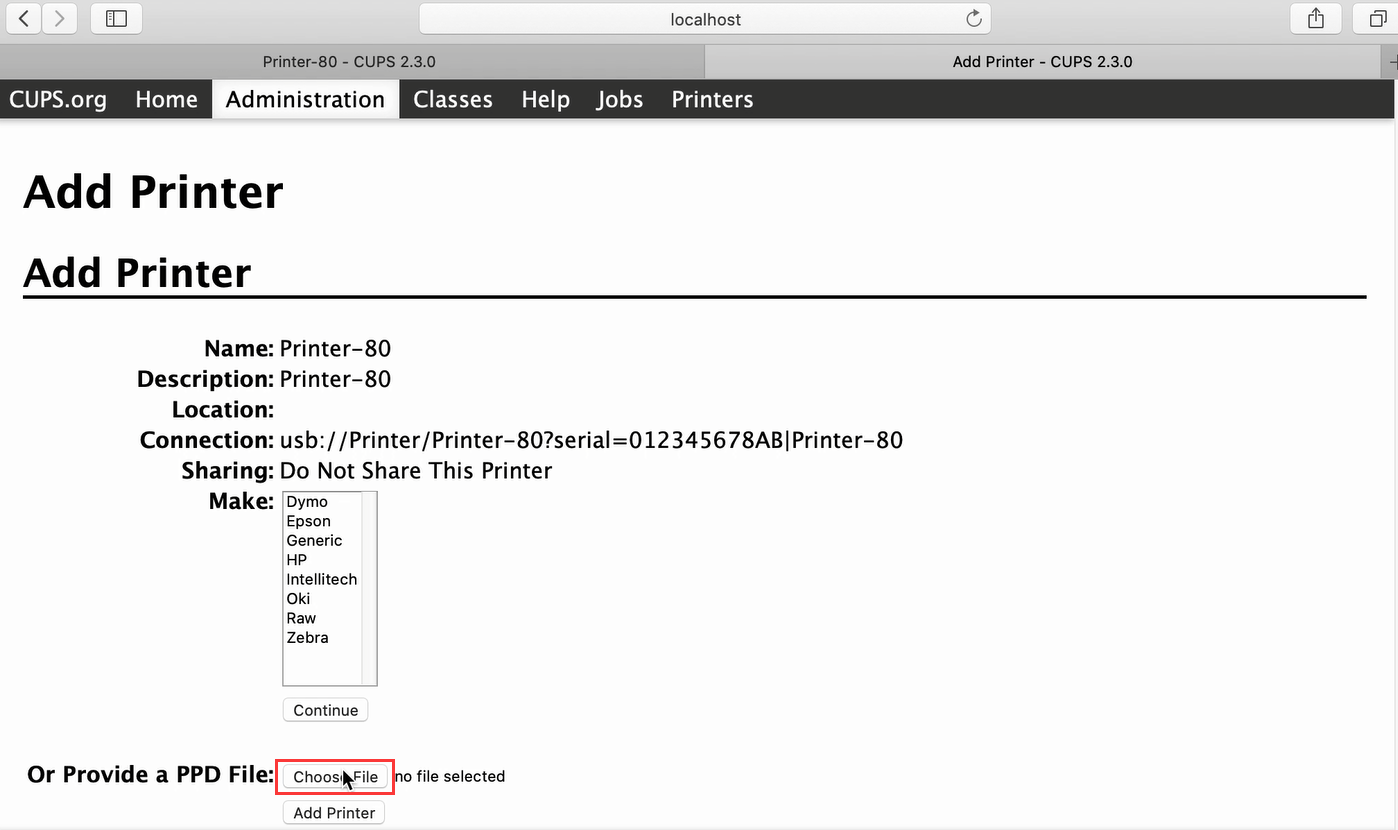
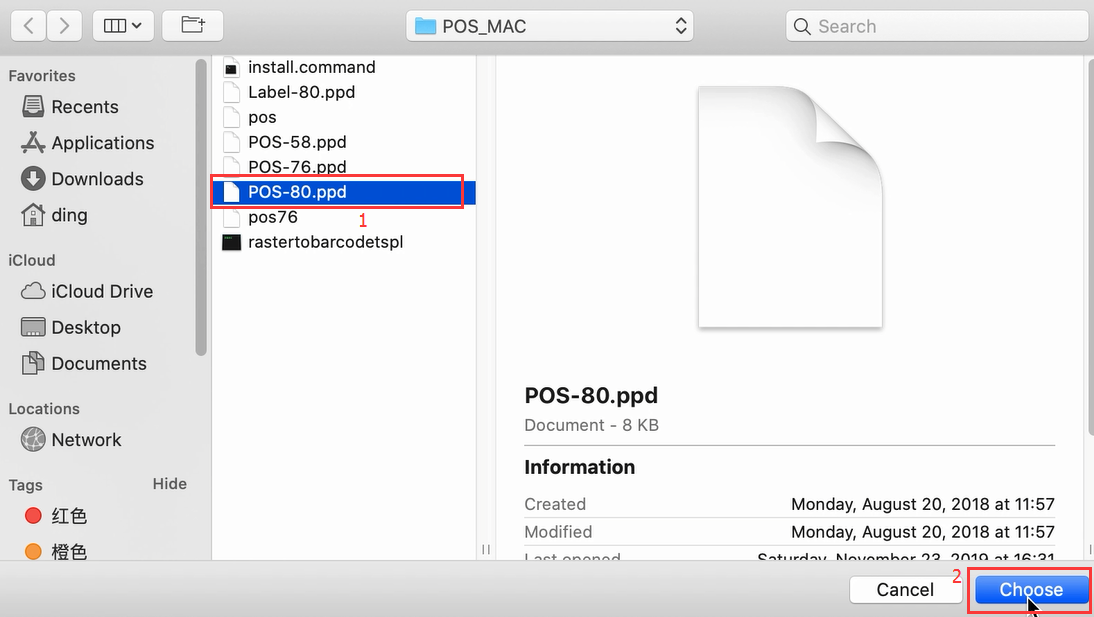
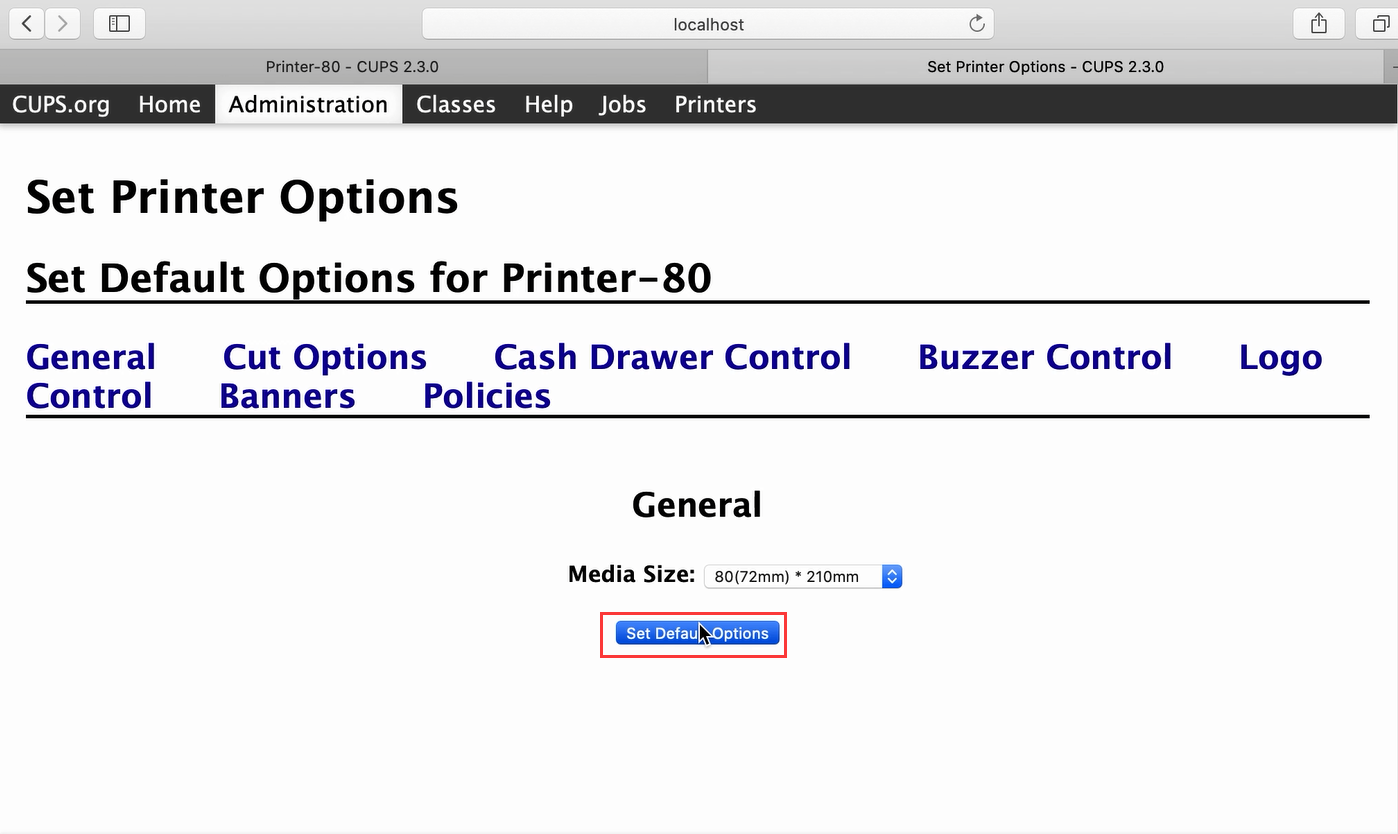
9、set as default printer
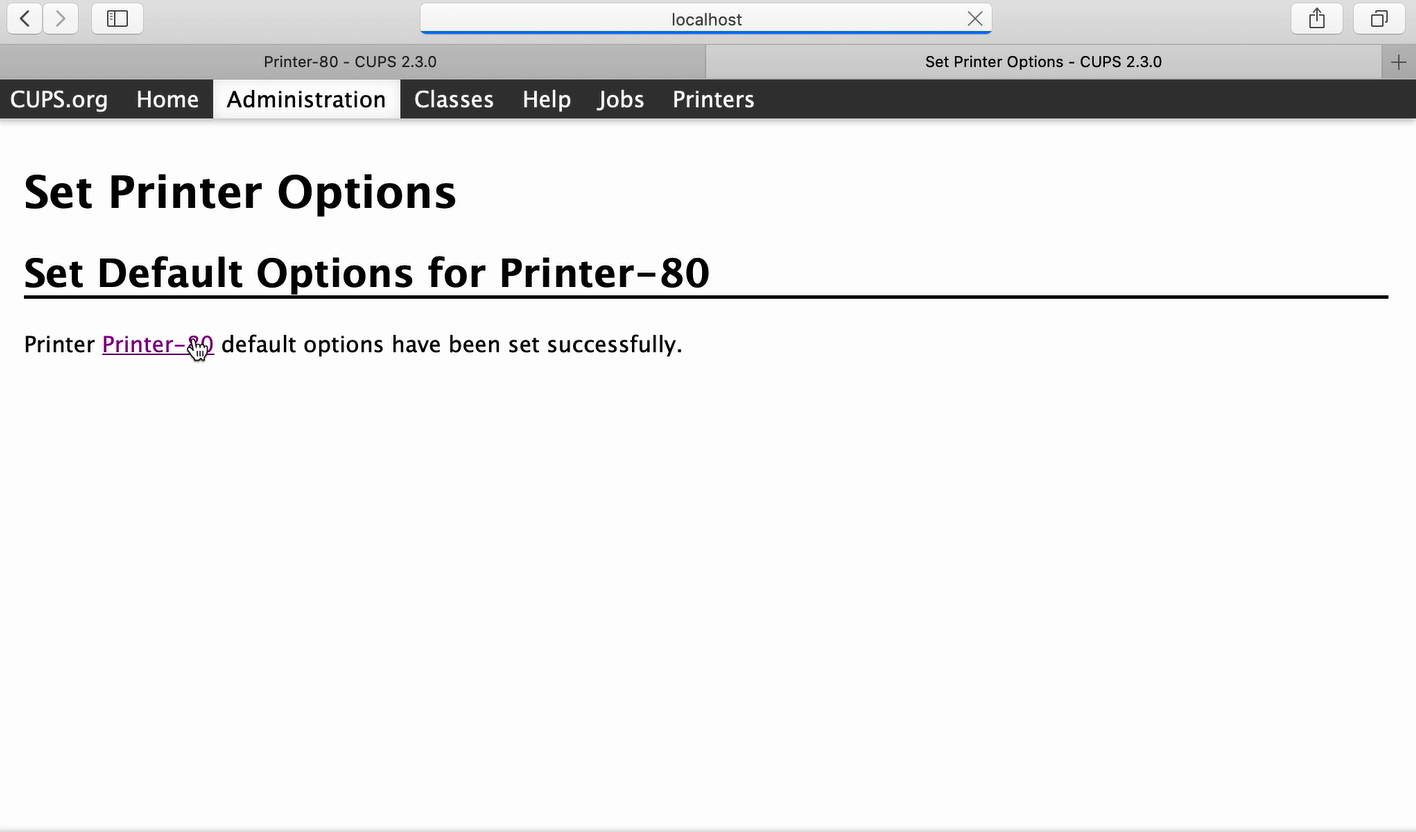
10、finish installing
Demo video: http://u.pc.cd/iRIitalK
Comments
0 comments
Please sign in to leave a comment.